 Fitted
The Fitted guide
From your first resume to your first application. Two rules run through all of it: Fitted never invents anything about you, and it never presses Submit.
1. Getting in
Fitted is opening a few people at a time. Join the waitlist and you’ll get an invitation by email. Sign up from it, and the setup wizard walks you through the first steps in about five minutes. You can leave it any time; the Get started checklist on your Inbox keeps your place.
2. Your profile
Upload your resume — PDF or Word — on Profile. Fitted reads it into a profile: your roles, the lines under each, education, skills. It copies; it adds nothing. Check it over, and fix anything it misread.
Have several versions? Upload each and press Add what’s new: roles and lines the profile doesn’t have yet are added, and nothing already there changes. A profile built from every version gives each application your best wording of your best work.
Not every role belongs on every resume. On each role choose always, never or auto (Fitted decides per job, and warns you if leaving one out opens a gap).
3. Preferences and answers
Preferences (Profile → Preferences): the titles you want, your locations, remote or not, a salary floor, words to avoid. Titles decide which postings Fitted adds from the companies you follow; the rest lower a job’s score when it misses, with the reason shown.
Answers: the questions every application asks — work authorization, sponsorship, notice period, salary, how you heard. Answer once and they’re filled in everywhere they match. Voluntary questions (gender, ethnicity, veteran, disability) are declined unless you choose an answer. Anything Fitted doesn’t know is left for you, never guessed.
4. Finding jobs
Paste a link on your Inbox — any careers page, Greenhouse, Lever, Ashby, Workday, LinkedIn or Indeed. Fitted reads the description, scores it against your whole career, and lists the strengths to lead with and the gaps to expect. LinkedIn and Indeed only show a job to a signed-in browser: paste its description, or use the extension’s Add this job to Fitted.
Your email (Sources → Your email): connect Gmail, read-only, or forward job emails to your own Fitted address. A confirmation marks a job applied, interviews and rejections are suggested on your Inbox for one press, and LinkedIn and Indeed alerts become jobs. Fitted keeps only each email’s sender, subject and date.
Follow companies on Sources: pick from the list of companies whose job boards Fitted reads, or look one up by name. Every morning Fitted reads them and adds the postings whose title matches one of yours, in your locations or remote in your country. Each job is checked daily, and one that’s been taken down is marked closed.
5. Each job's status
Every job carries the employer’s side (open or closed) and yours:
- New
- Fitted read and scored it. It waits in your Inbox for you to decide.
- Shortlisted
- You want it. Next, tailor a resume.
- Tailoring
- Fitted is writing the tailored resume.
- Ready for review
- A tailored resume is ready for you to read and approve.
- Approved
- You approved the resume. Ready to apply.
- Filling form
- The form is being filled.
- Ready to submit
- Filled and waiting for you to check it and press Submit.
- Applied
- The confirmation page was seen, or you marked it yourself.
- Interviewing
- You're talking to them.
- Offer
- They made you an offer.
- Rejected
- They said no.
- No response
- No reply after a long while.
- Withdrawn
- You stepped back.
- Skipped
- You passed on it. It can go back to the Inbox.
6. Tailoring a resume
Open a job you’ve shortlisted and press Tailor. Fitted chooses the roles and lines that answer this job, orders them, and rewords them toward its language — only where your original already says it. Every line points back to one in your profile; a new number, skill, title or employer is refused before you see it.
You read it beside your own words, edit anything, and Approve. Download it as PDF or Word whenever you like. Editing an approved resume sends it back for approval.
7. Keywords you've done
Under a tailored resume, the job’s keywords show which it covers. A crossed-out one isn’t shown by your profile’s words — but you may have done it: a director has managed managers even if no line says so. Press the keyword and tick the lines that show it. The keyword becomes a tag on those lines: it counts for this job and every other, a rewrite may use the word in those lines only, and Score this job again takes it into account. Suggest matches asks Fitted to point at lines that may show missing keywords; nothing is saved until you press Save.
8. Applying
Add Fitted to Chrome (Edge can install it from the same page). With an approved resume, open the job’s application. Click Fitted in your browser’s toolbar and press Fill with Fitted.
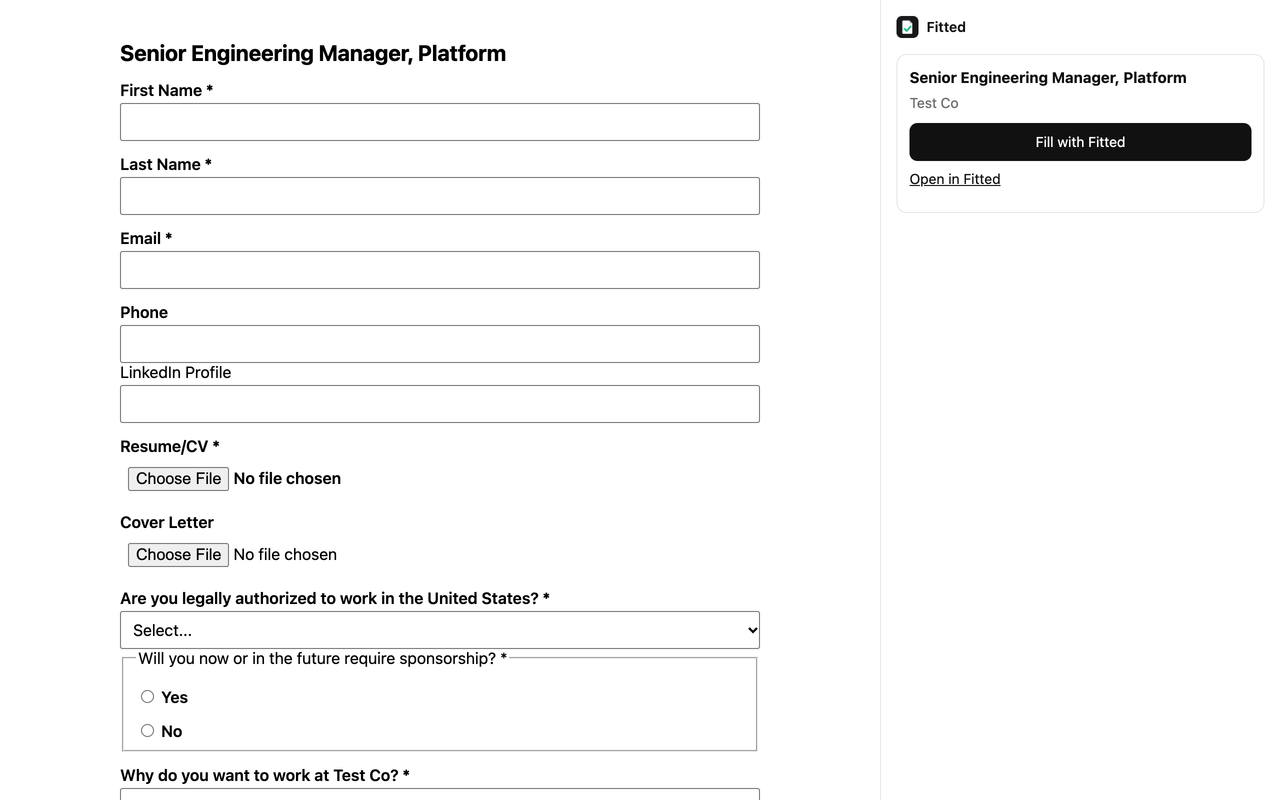
Your details, saved answers and the tailored resume go in, and dropdowns are chosen from what they really offer. Questions only you can answer — an essay, a consent box — are listed for you.
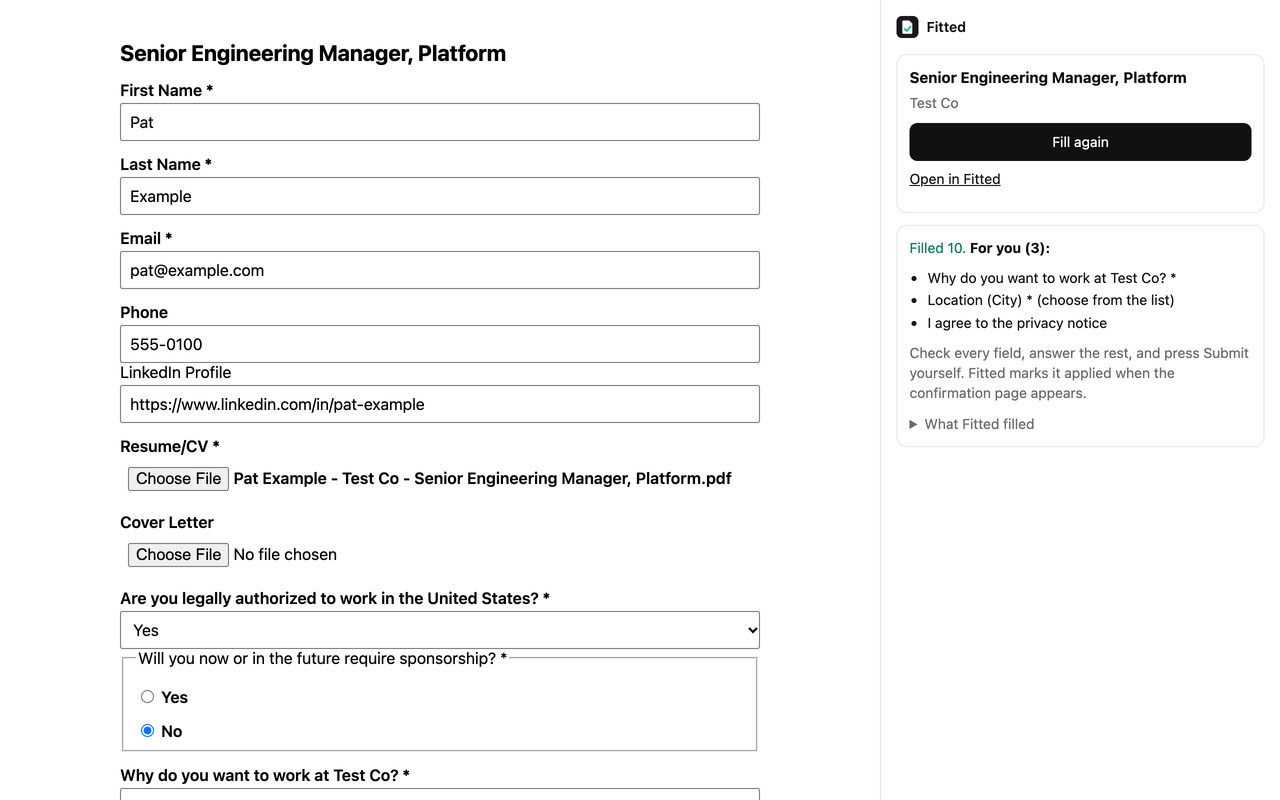
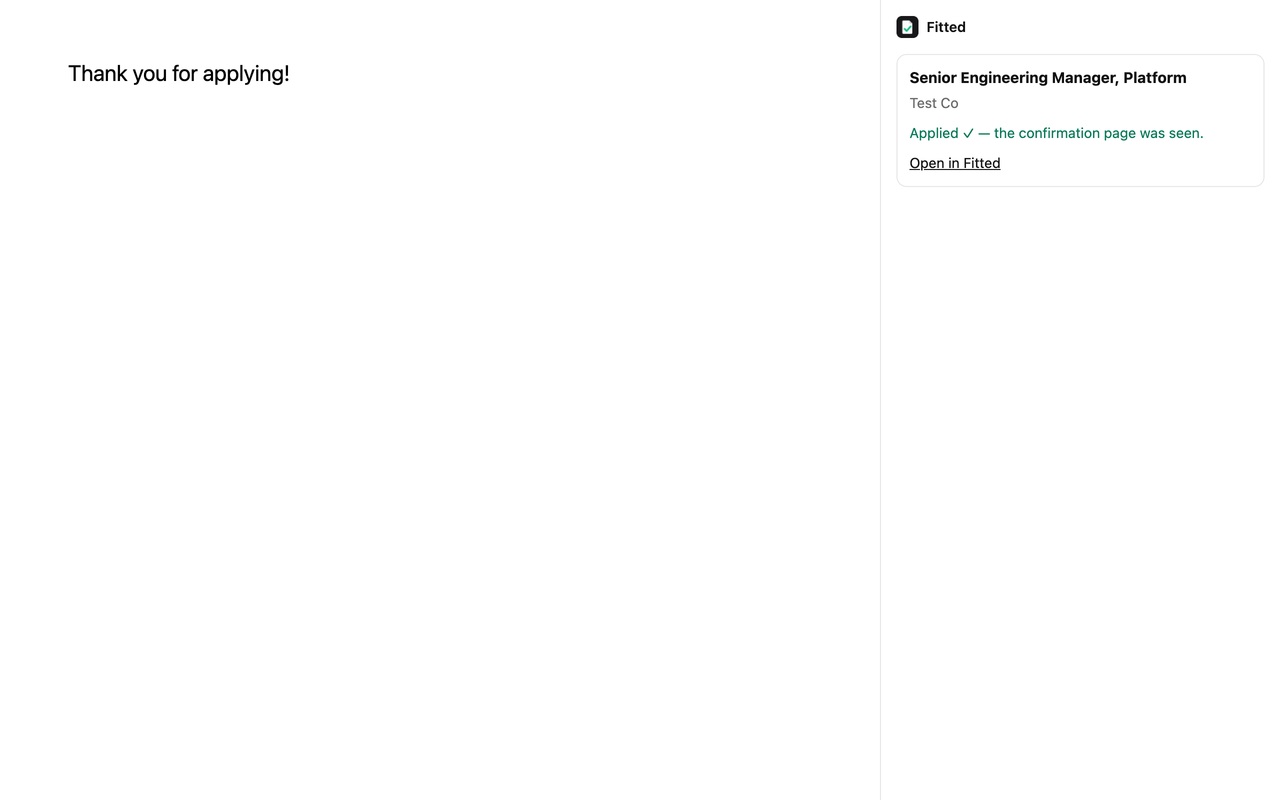
Check every field, answer the rest, and press Submit yourself. When the employer’s confirmation page appears, the job is marked applied.
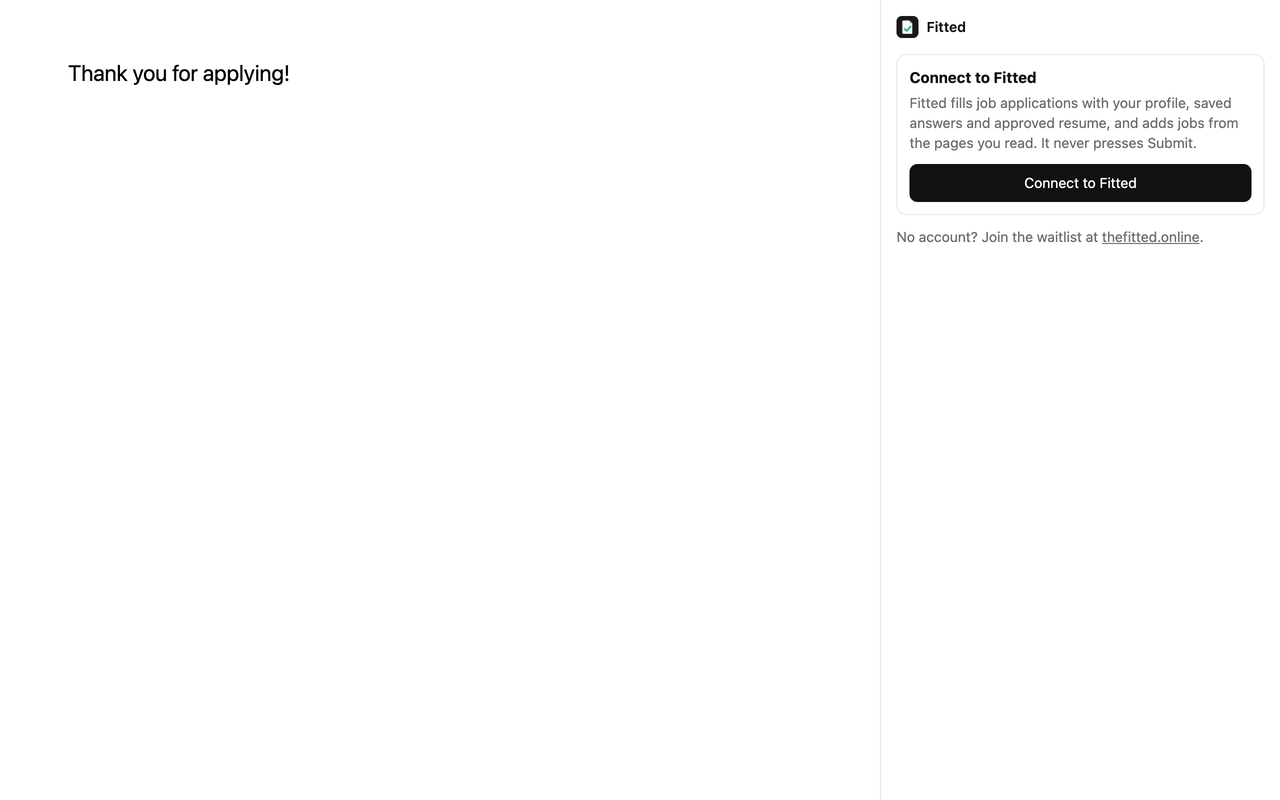
The first time, the extension asks you to Connect to Fitted, and when you first press Fill on a site, for permission to read that site. It sees nothing else. Without the extension, download the PDF from the job, apply with your saved answers to hand, and press I applied myself.
Want to try it first? The practice application looks like a real form and sends nothing anywhere.
10. Community
People: turn on List me in the directory on Share and members and verified recruiters can find you, by title, skills, location and more. Your current employer never sees you, nor any company you add to Hide me from.
Introductions: a recruiter can send you a note about a role. It arrives on your Inbox and by email. Accept and you both get each other’s email; decline, block the recruiter or their whole company, or report them.
Referrals: offer to refer at your company, or ask a member who offers at a company you’re applying to. Accepting shares emails and the asker’s resume for that job.
Companies: how applications go at each company, from members’ own results — only when at least five people are behind a figure. Add your own note from a job you applied for.
11. Plans and limits
| Free · $0/mo | Pro · $19/mo | |
|---|---|---|
| Job scores a month | 15 | 300 |
| Tailored resumes a month | 3 | 60 |
| Resumes read a month | 5 | 30 |
| Companies followed | 2 | 25 |
Limits count only what costs Fitted money — reading and writing with AI — and Fitted tells you before it would go over, so nothing half-happens. Your jobs, resumes and page keep working regardless. See Pricing.
12. Your data
Everything is visible only to you, unless you publish your page. From Account you can download everything Fitted holds as a file, disconnect a browser, or delete your account — which removes it all at once. The Privacy Policy says who else handles what.